
How I Cleaned Up a Japanese Keyword Hack on 47 WordPress Sites
- 7 min read
The morning I found it
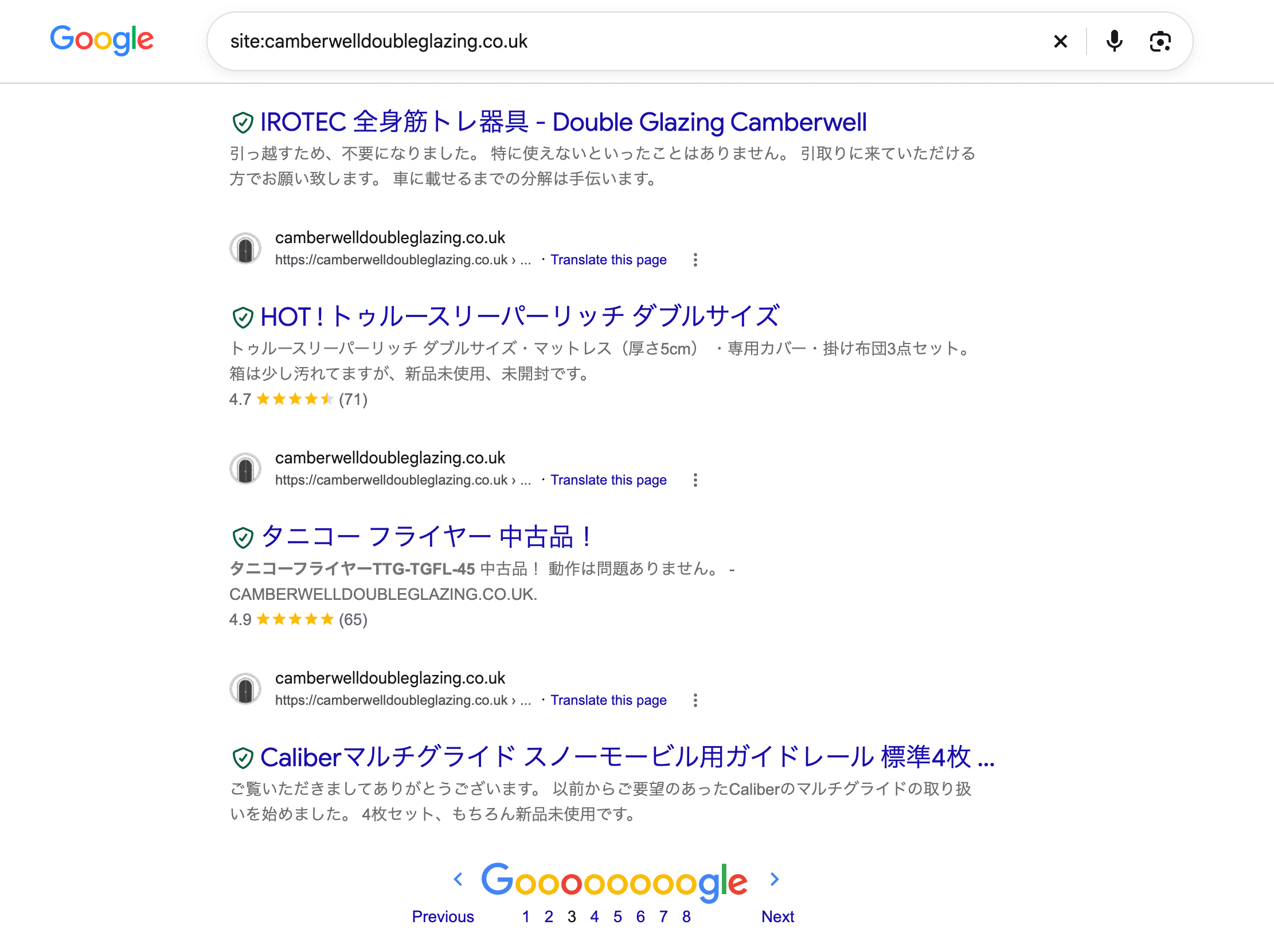
It started with a simple Google search. I typed “site:website-domain.co.uk” and one of my client’s domains, expecting to see their normal service pages.
Instead, I saw:
- Pages in Japanese
- Fake shop listings and product codes
- Casino posts in Polish, Russian and German
I checked another site. Same thing. Then another. By the end of the day, I counted 47 WordPress sites on one server hit by the same attack.
I’m not a security expert. I’m a web designer and server admin who is still learning SEO. So this became my crash course in malware, server security and Google indexing, all at once.
Why it happened
This is called the Japanese keyword hack.
How it works:
– Attackers sneak spam pages onto real websites
– Those sites already have Google’s trust
– So the spam ranks fast, using someone else’s reputation
My first question was: why these 47 sites, all at once?
The answer taught me something important. Hackers usually don’t pick one website. They find one weak plugin, then hit every site running it.
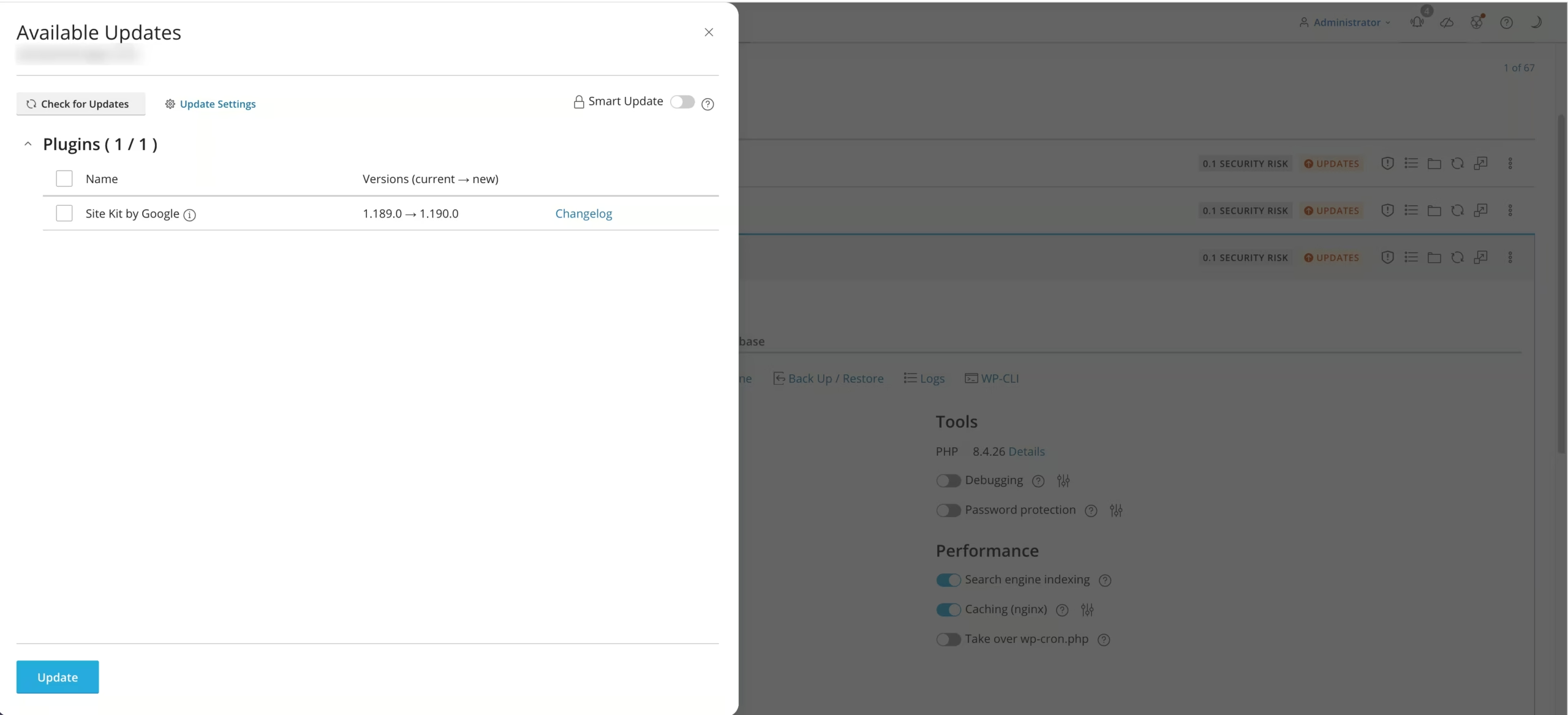
In my case, the most likely entry point was an outdated backup and migration plugin installed across the fleet. I’m still confirming it, but the pattern fit:
– Same plugin
– Same server
– Same spam
Scanning, breaking, then rebuilding
My first move was to buy Imunify360 (paid, unlimited) and run a full malware scan.
What happened next:
– It found thousands of infected files
– It blocked and deleted them, including files the websites needed
– The sites stopped loading
The malware was so mixed into real files that cleaning them broke the sites.
That’s when I made a big decision. Instead of patching file by file, I reset everything and rebuilt from scratch. A fresh start meant no hidden backdoor waiting for me later.
This time, I did security first, before putting any site back:
– Security tune-up and firewall rules. I followed Plesk’s own guide on securing a Plesk server step by step.
– Blocked every port my workflow doesn’t need. Fewer open doors means fewer ways in.
– Cloudflare in front of the server. Visitors reach Cloudflare first, not my server directly.
– Imunify360 kept running. Now it guards a clean server instead of fighting an infected one.
Then I made every spam URL return the right “not here” signal:
– 404 (not found): the page doesn’t exist
– 410 (gone): the page is gone for good, so Google drops it faster
I tested each spam pattern twice, once as a normal visitor and once as Googlebot. Both had to see the same answer.
Cleaning up Google (the slow part)
The server was clean in days. Google was a different story.
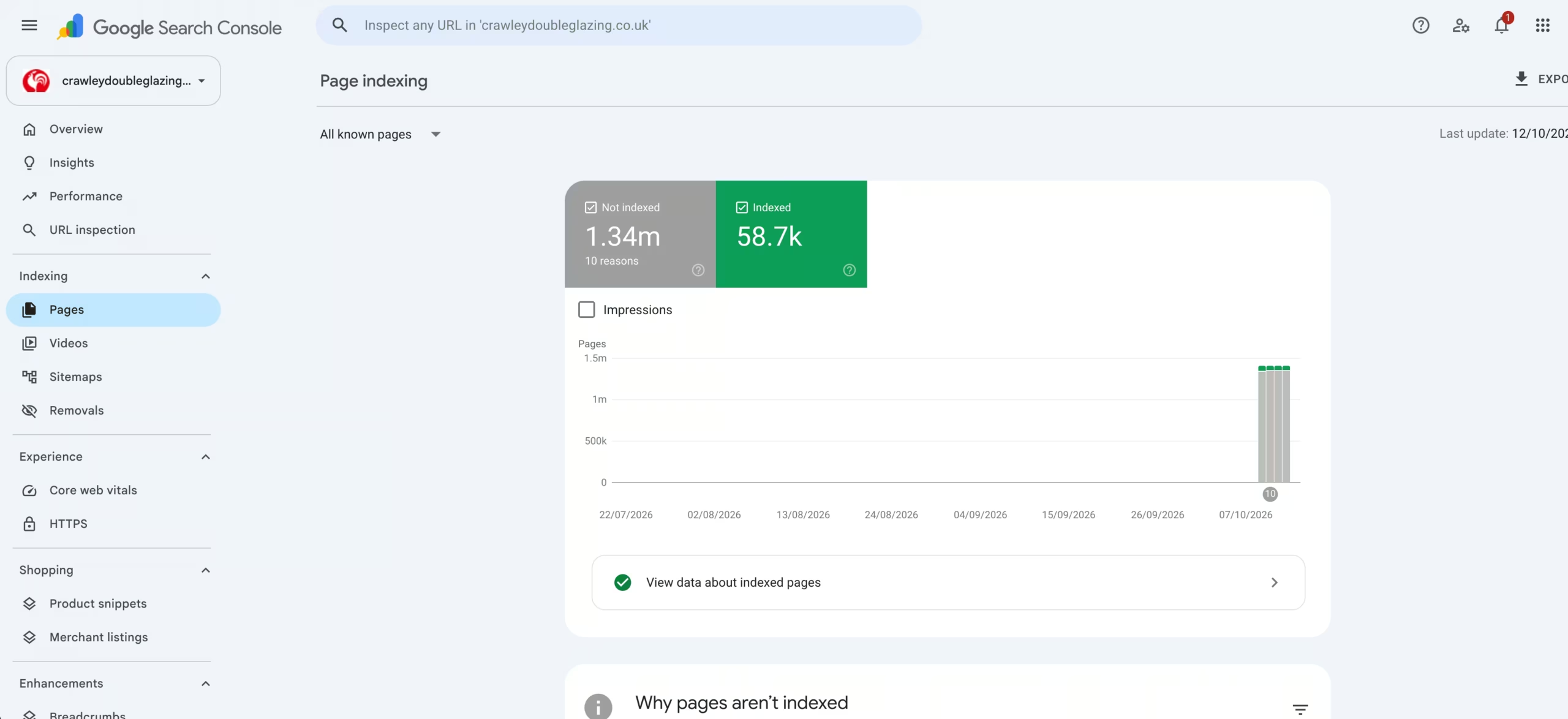
Google had already indexed thousands of spam pages. Even though they were gone, Google didn’t know yet. It only finds out when it comes back to crawl, which can take weeks.
So I worked through it step by step:
- Found the spam. I exported the indexed pages from Google Search Console and grouped them into patterns, like /shop/, /products/ and /?l=123456.
- Removed spam folders. In Search Console Removals, I used “Remove all URLs with this prefix” for folders real pages never use.
- Removed single URLs. For spam with no shared folder, like the casino posts, I removed them one by one.
- Kicked out the intruders. The hackers had added themselves as Search Console owners and uploaded fake sitemaps. I removed both.
- Pointed Google back to the real site. I resubmitted the real sitemap and requested indexing on key pages.
- Repeated in Bing. Bing Webmaster Tools has its own process, so I did it there too.
[Image: Search Console Removals screen with prefix removals listed]
One thing surprised me:
- Removals only hide results for a while
- The real cleanup happens when Google recrawls and sees the 404 or 410
- That takes 2 to 8 weeks
The mistake I almost made
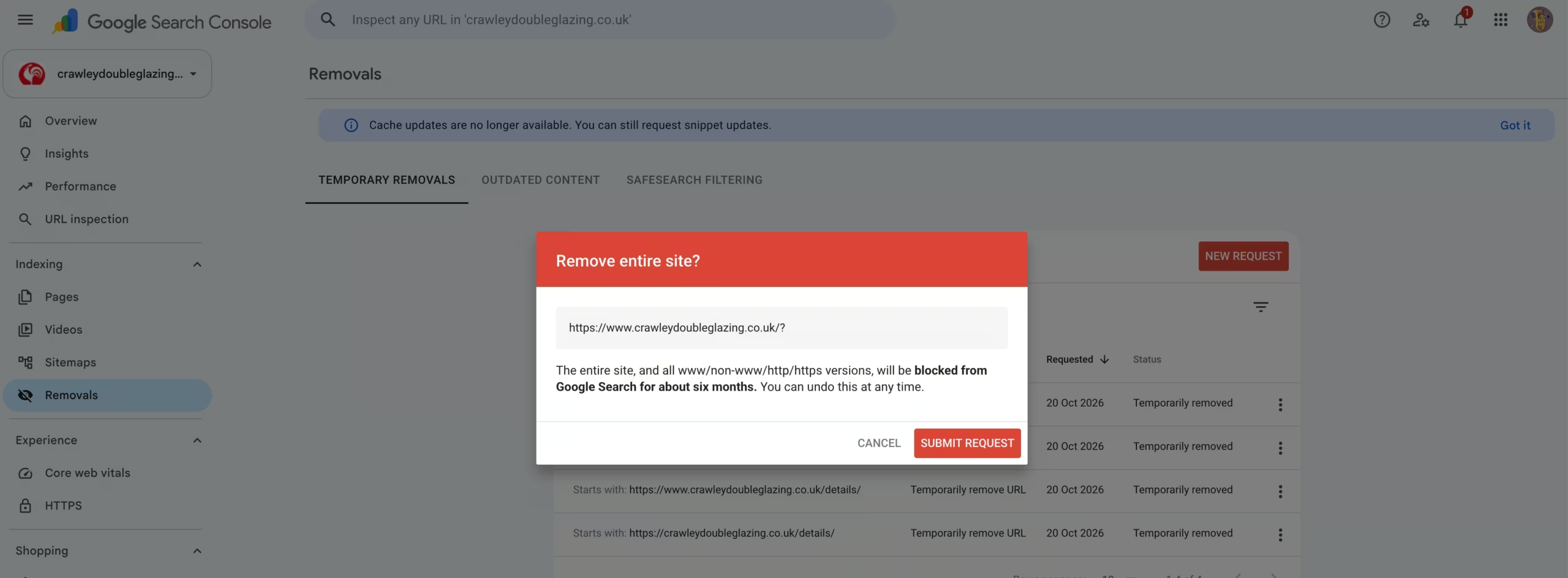
Some spam lived in query strings, like domain.com/?l=123456. So I thought: why not remove everything starting with domain.com/? in one go?
I typed it in. Google showed a popup: “Remove entire site?”
[Image: the “Remove entire site?” dialog in Search Console]
Here’s why:
- Google strips the ? part
- It treats the request as the whole domain
- One click would have hidden every page of my client’s site for about 6 months
I clicked Cancel. Since then, I read every popup twice.
What I learned
- Security works in layers. Cloudflare, closed ports and a malware scanner each stop something the others miss.
- Sometimes rebuilding beats cleaning. A scanner can’t always save an infected site. A fresh server gave me confidence that patching never could.
- One weak plugin can hurt many sites. I now check plugins across the whole fleet, not site by site.
- A clean server isn’t a clean Google. Plan for weeks of recovery, not days.
- Slow down when a tool asks a scary question. That one popup taught me more than any tutorial.
[Image: before and after site: search, spam gone]
I didn’t know half of this a month ago. I learned it by facing the problem, one step at a time.
If you’ve dealt with the Japanese keyword hack, I’d love to hear what worked for you.