
PHP2Shell: How I Protected 2,300+ WordPress Websites From a Critical Bug
- 5 min read
The moment I saw the warning
It was early Friday morning in Sydney. I opened my laptop and saw a Plesk security article with a scary title: remote code execution in PHP.
The bug had a name, PHP2Shell, and two IDs: CVE-2026-109618 and CVE-2026-109619. Both were rated 9.2 out of 10. Critical.
I manage over 2,300 WordPress sites on 10 Plesk servers for a UK client. They belong to local trade businesses: plumbers, drainage firms, glaziers.
For a small business, their website is their phone line. If even one server was open, an attacker could run their own commands on it, without a password. That can mean:
– Spam pages injected into the site
– Customers sent to scam websites
– Google rankings dropping overnight
– Enquiries and leads quietly lost
I had one question: are we safe right now?
Why this bug was so dangerous
First I wanted to understand how it works.
PHP is the engine that runs WordPress. Every time someone visits a page, PHP builds it.
This bug was inside the engine itself, not in WordPress or any plugin. So a clean, fully updated WordPress site was still at risk if the PHP underneath was old.
On a Plesk server, three things use PHP:
– The websites (through PHP-FPM workers)
– The Plesk panel itself (a separate PHP called sw-engine)
– Command line jobs like cron and WP-CLI
That meant there were two things to fix on every server: the PHP for the websites, and the PHP for the panel.
The fixed versions were PHP 8.2.35, 8.3.36, 8.4.27 and 8.5.12. Anything older on 8.2 to 8.5 was open. PHP 8.1 and older will never get an official fix.
This bug was inside the engine itself, two things to fix on every server
My plan: 4 simple checks
I didn’t want to guess. So I broke “are we safe?” into 4 questions I could check with simple commands:
1. Is the Plesk panel updated? (needs 18.0.81 Update 4 or newer)
2. Which PHP version do the sites actually use?
3. Is that PHP version the fixed one?
4. Is PHP running the new code, or is the old code still loaded in memory?
The last one is easy to miss. When you update PHP, the new files go on disk, but a PHP process that started before the update can keep running the old code. Linux marks those old files as “(deleted)”, so I checked for that.
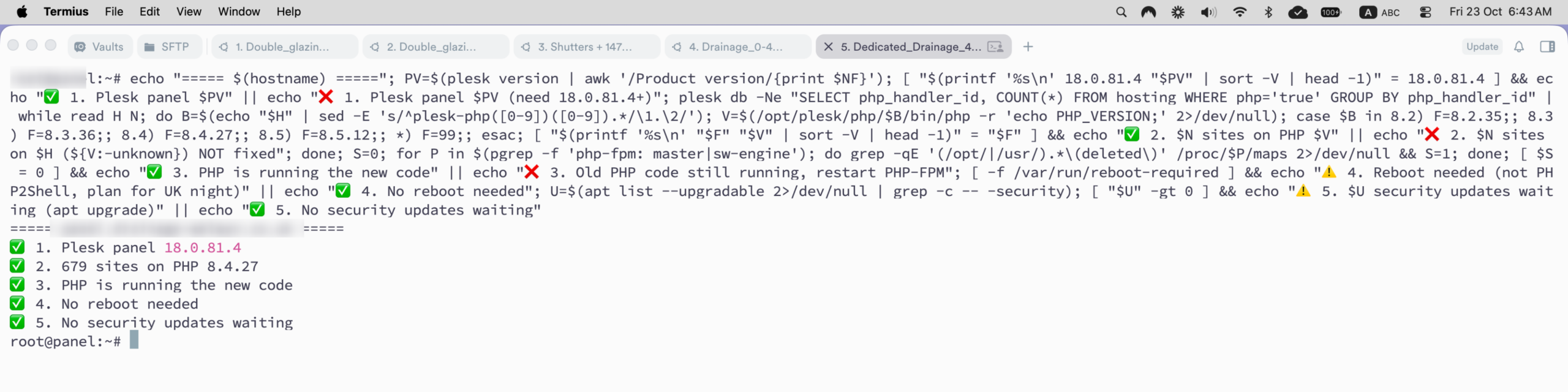
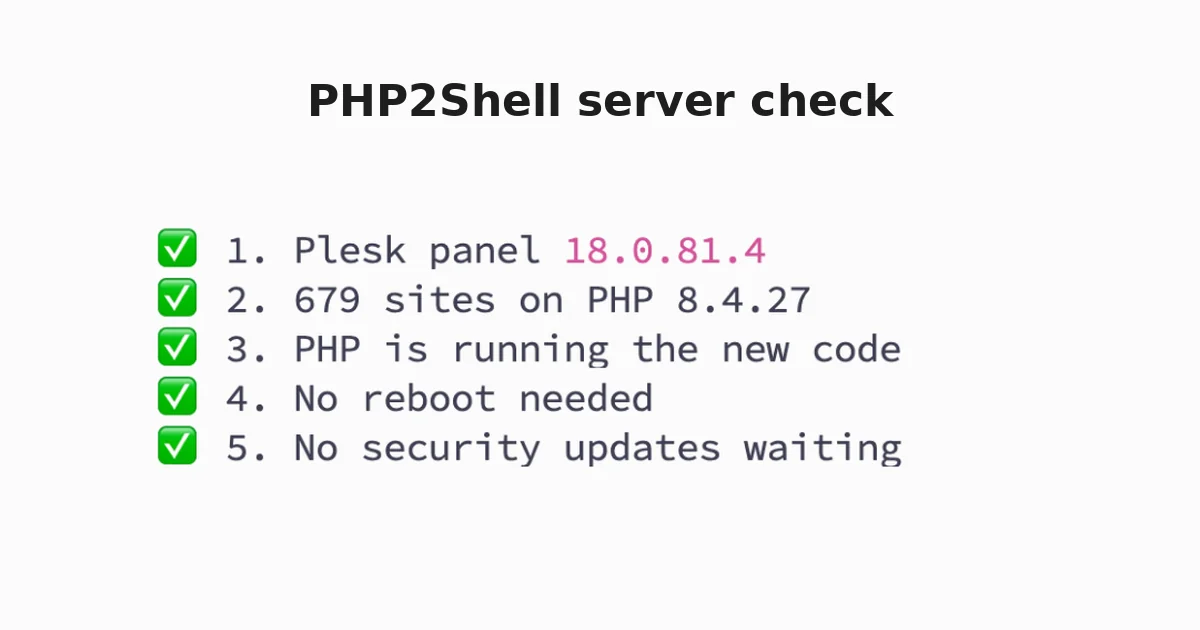
I turned all 4 checks into one command I could paste into each server.
Checking every server
I opened each server in Termius, one tab each, and pasted the same check into every one.
That morning I checked 8 of my 10 servers. The results, from biggest to smallest:
– 679 sites on PHP 8.4.27
– 446 sites on PHP 8.3.36
– 400 sites on PHP 8.4.27
– 200 sites on PHP 8.3.36
– 100 sites on PHP 8.4.27
– 51 sites on PHP 8.3.36 and 8.4.27
– 16 sites on PHP 8.3.36
– 7 sites on PHP 8.4.27
Every server was on Plesk 18.0.81.4, so the panel was fixed. Plesk’s automatic updates had already pulled in the new PHP. No process was running old code.
8 servers. 1,899 sites. All on a fixed PHP version.
Later I added two more checks to the same command: does the server need a reboot, and are any security updates waiting? Now one paste gives me a full health check with a tick for each item.
Two servers showed “System restart required” when I logged in. That was for other Ubuntu updates, not PHP2Shell, so I planned those reboots for UK night time when client traffic is low.


The mistake I almost made
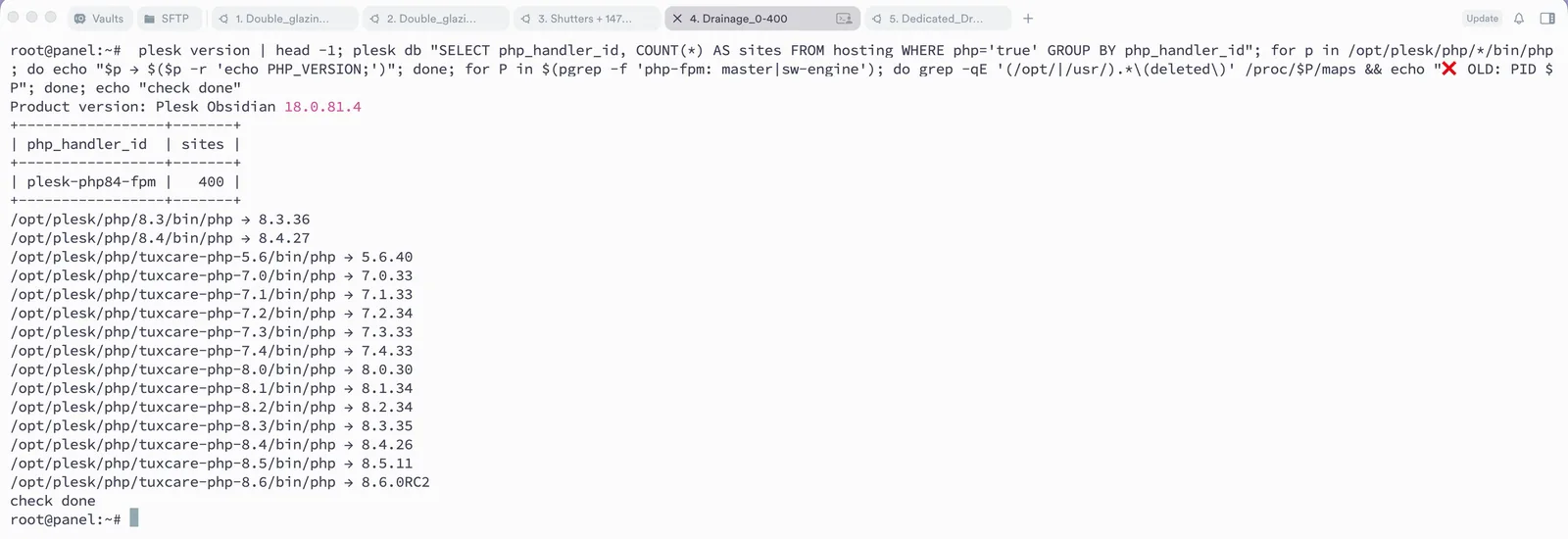
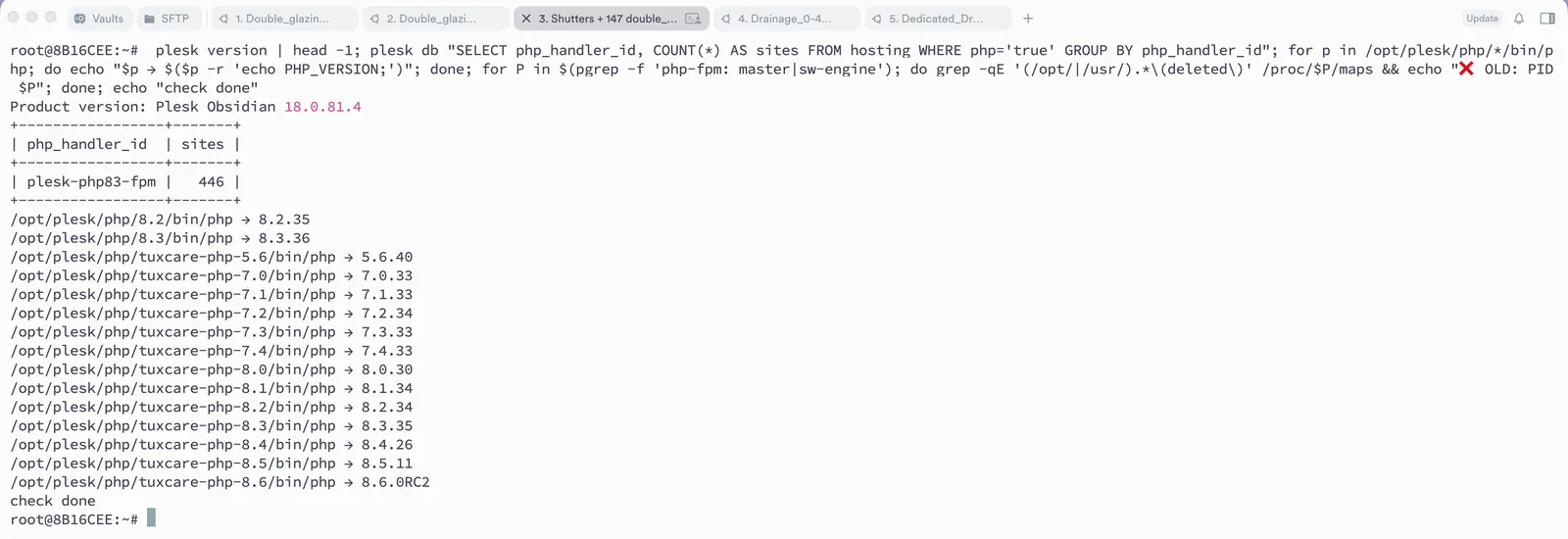
On one server, the version list looked bad.
Next to the fixed PHP 8.3.36 and 8.4.27, there was a long list of old versions: 5.6, 7.0 up to 7.4, 8.0, 8.1, plus 8.2.34, 8.3.35, 8.4.26, 8.5.11, and even an 8.6 test build.
My first thought: these are all unpatched, and I need to fix them right now.
But I checked before acting. These were extra PHP builds from TuxCare and Imunify360, the security tools on the server. They work differently:
– They keep the old version number even after they are fixed, so “8.3.35” can already be safe
– The only way to prove it is the package changelog, not php -v
– Most importantly, no site was using them
Installed is not the same as used. An attacker can only reach a PHP version that is actually serving a website. On every server, all sites were on the patched Plesk PHP.
If I had rushed, I could have spent hours “fixing” versions nobody used, or moved sites around for no reason.
I had one more small scare after a reboot. One service said “inactive”. It was the PHP 8.3 worker, on a server where every site uses 8.4. Plesk only starts a PHP worker if a site needs it, so inactive was exactly right.
What this means if you own a website
You don’t need to understand PHP to be affected by this bug. If your website runs on WordPress, it runs on PHP.
Here’s the uncomfortable part: keeping WordPress and your plugins updated was not enough this time. The hole was in the server underneath.
If you have a website, ask whoever looks after your hosting these 3 questions:
1. Is our server’s PHP updated against PHP2Shell (CVE-2026-109618)?
2. Which PHP version does my site actually use?
3. How do you check that a fix is really working, not just installed?
A good answer is specific: a version number and a way they checked it. “It should be fine” is not an answer.
What I learned
1. Understand the mechanism first. Once I knew the bug lived in the PHP engine, I knew exactly what to check: the engine, not WordPress.
2. Turn “are we safe?” into small yes/no questions. Four simple checks were faster and more reliable than clicking through 8 control panels.
3. Installed is not used. Check which PHP versions sites actually run before panicking about the full list.
4. Version numbers can lie. Security vendors like TuxCare backport fixes without changing the number. The changelog is the proof.
5. Updated files are not enough. A running process can still hold the old code, so always check or restart PHP-FPM after a patch.
6. Automatic updates saved the day. Plesk had installed the fix before I even read about it. My job was to prove it worked.
In under an hour, I confirmed 8 servers and 1,899 sites were safe.
Skills I used on this job:
– Linux server administration (Ubuntu)
– Plesk and PHP-FPM management
– Security advisory research and risk assessment
– Writing shell commands to check many servers quickly
– Verifying fixes instead of assuming them
– Explaining technical risk in plain language for clients
[Image: Plesk services active after server reboot]
keeping WordPress and your plugins updated was not enough this time, “It should be fine” is not an answer.